
METAMASK
FUNDED
HIVE
FundedHive is revolutionizing forex trading with WEB3 technology, and our partnership with MetaMask ensures unmatched transparency and security. By integrating MetaMask’s decentralized wallet, traders gain seamless access to blockchain-powered features, with every transaction immutably recorded for full transparency and trust. This collaboration gives traders control over their funds, enhanced security, and instant automated payouts through smart contracts, eliminating delays and errors. Together, FundedHive and MetaMask set a new standard for secure, transparent, and efficient trading.
WHAT IS
METAMASK
Experience the Future of Trading
with FundedHive and MetaMask
MetaMask is a decentralized wallet and browser extension that connects users to blockchain-based applications directly from their web browsers. Serving as a secure bridge to the Ethereum blockchain, MetaMask allows you to manage your digital assets with ease and confidence, combining an intuitive interface with robust security. Your private keys and seed phrases are stored locally, ensuring full control over your funds. Beyond storage, MetaMask facilitates seamless interaction with decentralized applications (dApps) like FundedHive, providing access to tools that enhance transparency, security, and efficiency.
Effortless Trading
Our platform is designed for simplicity, with seamless MetaMask integration and real-time feedback, making it easy for beginners and pros alike. FundedHive ensures a smooth, user-friendly experience so you can focus confidently on trading.
Secure Wallet
Your private keys and seed phrases are securely stored locally, ensuring that only you have access to your funds. This provides an added layer of security and autonomy, giving you complete control over your trading account
Blockchain Interaction
Interact securely with the blockchain: verify transactions, execute smart contracts, and track assets transparently—all powered by decentralized ledger technology for reliable and efficient operations.
Full Transparency
Blockchain technology ensures transparency by recording all transactions on an immutable ledger, enabling independent verification. This trustless system removes intermediaries, relying on cryptographic proof for security and reliability.
Enhanced Security
With MetaMask, you maintain personal control over your funds and private keys, significantly reducing the risk of centralized breaches. Robust encryption ensures that your data and transactions are securely protected, giving you peace of mind while trading.
Instant Automated Payouts
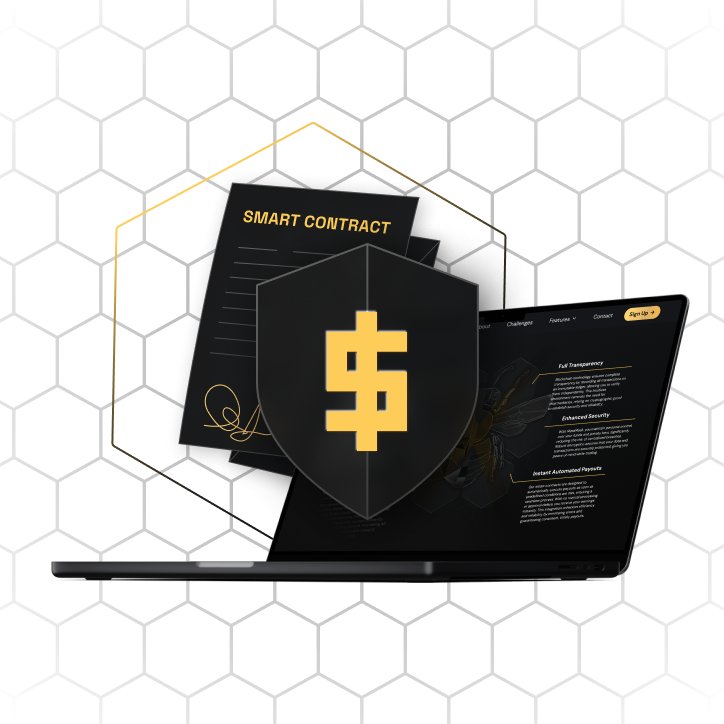
Our smart contracts automatically execute payouts when predefined conditions are met, ensuring instant earnings with no delays. This system enhances efficiency, minimizes errors, and guarantees timely payouts.
No MIDDLEMEN
for Instant Payouts
To connect with our smart contract ecosystem, you’ll need to create a Web3 identity, such as a MetaMask wallet
Through these smart contracts, earnings are automatically released when predefined milestones are reached, ensuring prompt distribution without manual intervention. Their decentralized nature guarantees alignment with agreed-upon terms while reducing administrative costs and human error, making the process both more reliable and more secure.
Getting Started
METAMASK
FUNDED HIVE


How to Install
Download Meta mask
- Visit the official MetaMask website or your browser's extension store (Chrome Web Store, Firefox Add-ons, etc.).
- Download and install the MetaMask extension.
2. Set Up Your Wallet
- Click on the MetaMask icon in your browser toolbar.
- Follow the prompts to create a new wallet.
- Secure Your Seed Phrase: Write down your seed phrase and store it in a safe place. This is crucial for wallet recovery.
3. Top Up Your Wallet
- Top Up Your MetaMask Portfolio: Open your MetaMask wallet and select the “Buy” option to add funds using your preferred payment method.
- Buy USDC or Ethereum: Purchase USDC or Ethereum directly within MetaMask or through a trusted exchange, then transfer it to your wallet.
- Check ETH Balance for Gas Fees: Ensure your wallet has enough Ethereum to cover gas fees for any blockchain transactions.
Step 1:
Connect MetaMask
to FundedHive
Step 2:
Install
Metamask
How to
Connect
1. Visit FundedHive App
- Go to the official FundedHive app.
2. Connect Your Wallet
- Click on the "Connect Wallet" or "Login with MetaMask" button. MetaMask will prompt you to confirm the connection.
- Select your account and authorize the connection.
Step 1:
Install
Metamask
How to Install
1. Download MetaMask
- Visit the official MetaMask website or your browser's extension store (Chrome Web Store, Firefox Add-ons, etc.).
- Download and install the MetaMask extension.
2. Set Up Your Wallet
- Click on the MetaMask icon in your browser toolbar.
- Follow the prompts to create a new wallet.
- Secure Your Seed Phrase: Write down your seed phrase and store it in a safe place. This is crucial for wallet recovery.
3. Top Up Your Wallet
- Top Up Your MetaMask Portfolio: Open your MetaMask wallet and select the “Buy” option to add funds using your preferred payment method.
- Buy USDC or Ethereum: Purchase USDC or Ethereum directly within MetaMask or through a trusted exchange, then transfer it to your wallet.
- Check ETH Balance for Gas Fees: Ensure your wallet has enough Ethereum to cover gas fees for any blockchain transactions.
Step 2:
Connect MetaMask
to FundedHive
How to
Connect
1. Visit FundedHive
- Go to the official FundedHive website.
2. Connect Your Wallet
- Click on the "Connect Wallet" or "Login with MetaMask" button. MetaMask will prompt you to confirm the connection.
- Select your account and authorize the connection.
Security
Best Practices
Your security is paramount.
Here are some tips to keep your MetaMask wallet safe.
At FundedHive, your security is our top priority. To keep your MetaMask wallet safe, never share your seed phrase—no one from FundedHive or MetaMask will ever ask for it. Use a strong, unique password, and always verify you’re on official websites to avoid phishing scams. Regularly update MetaMask and your browser to ensure you’re protected with the latest security features.
Your security is paramount. Here are some tips to keep your MetaMask wallet safe:
-
Never Share Your Seed Phrase
No one from FundedHive or MetaMask will ever ask for it.
-
Use Strong Passwords
Protect your wallet with a strong, unique password.
-
Be Vigilant
Only use official websites and double-check URLs to avoid phishing scams.
-
Keep Software Updated
Regularly update MetaMask and your browser to the latest versions.
Join us and bee part of a global community
Become part of a community fueled by innovation, utilizing blockchain technology to elevate your success.
Together, we’re reshaping the future of trading with transparency, security, and collaboration at the core.
Join the Hive